
Using hospitals
How to book a hospital appointment in China
Foreigners can book China hospital appointments by official website, app, WeChat, phone or international office. Use a passport-safe route and verify the slot.
Start here
Book a hospital appointment in China: quick route
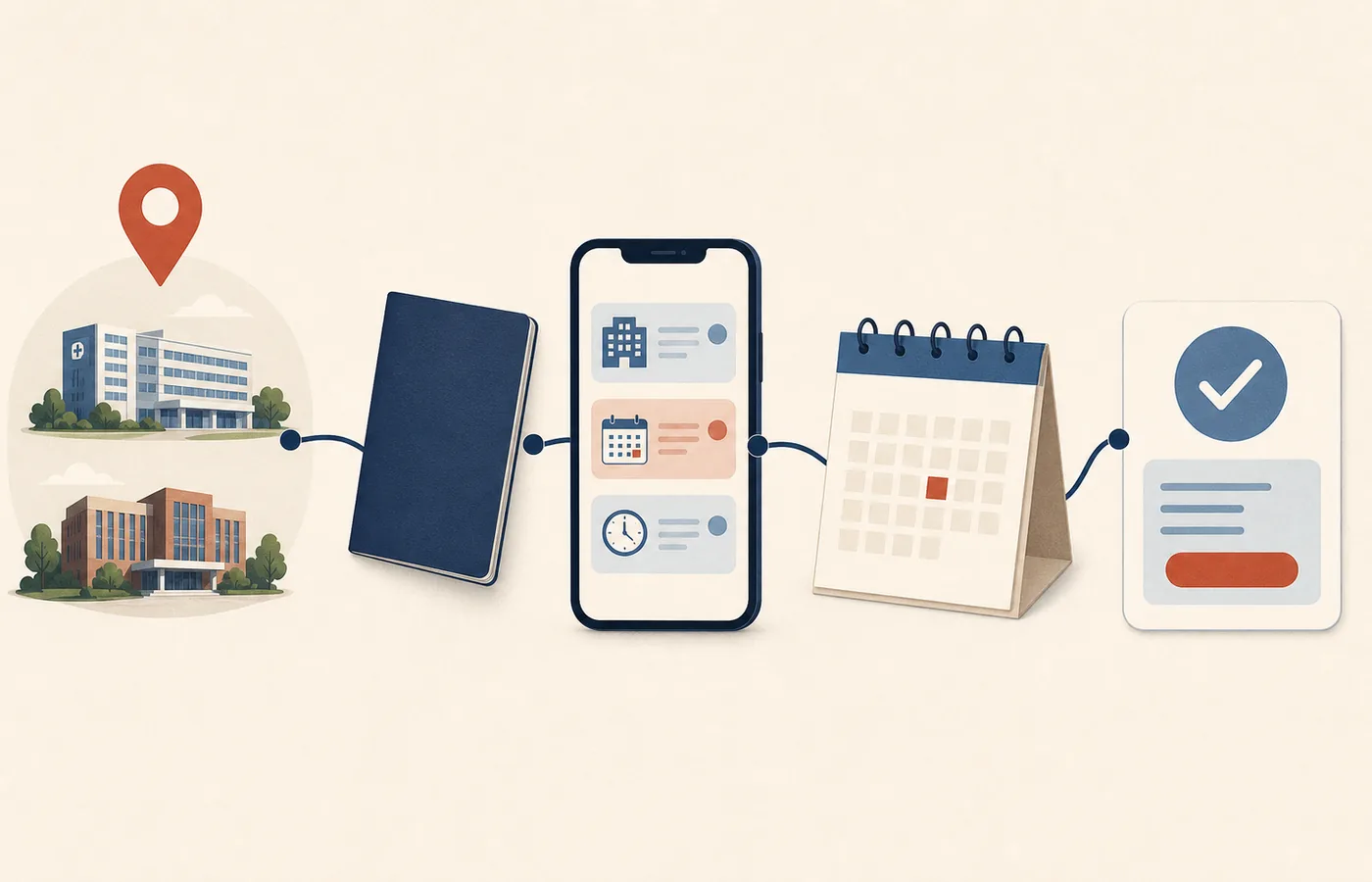
For a routine outpatient visit, follow these six moves. The exact hospital decides which channels, document types and schedules it accepts.
Choose the exact hospital route
Record the city, campus, general or international service, department and whether this is a first visit or follow-up.
Open the provider's current booking page
Start on the hospital's own website and use only the website, app, verified WeChat, telephone, email or staffed route it publishes.
Use the patient's passport identity
Keep the passport name, document type, number and date of birth consistent. If a form rejects the passport, move to a staffed route instead of inventing data.
Submit one request and wait
An enquiry, submitted form, callback promise or waitlist entry is not yet a booked consultation. Avoid creating duplicate requests while one is active.
Verify the confirmation
Check the patient, hospital and campus, department or service, date or arrival window, booking reference and check-in instructions.
Recheck before travelling
Confirm schedule and holiday changes. Verify language support, price and insurance separately because the appointment alone does not prove them.
Before you go
Do not travel on a request alone
- The hospital has issued a clear booking or order reference.
- The patient, exact campus and department or service all match.
- The date or arrival window and registration instructions are visible.
- If any field is unclear, the provider's published contact confirms the booking status.
Book with the provider
Official hospital appointment routes for foreigners
These provider-published examples show the main routes currently available. They are starting points, not recommendations or a nationwide booking list. Open the official page, confirm the exact campus and department, and recheck the route before sending identity information or travelling.
Beijing Tsinghua Changgung Hospital
English Jingtong / Beijing 114The hospital publishes a WeChat or Alipay mini-program route: switch to English, choose Hospital Appointment, select the hospital, department, date and doctor, then check the confirmation SMS.
Peking Union Medical College Hospital
English website or bilingual PUMCH appPUMCH publishes these routes for international patients using its International Medical Services. Confirm that the booking belongs to the intended PUMCH service.
Beijing United Family Hospital and Clinics
Email, official WeChat or telephoneThe provider publishes an appointment email, official WeChat account and location-specific telephone numbers, including a 24-hour service centre.
Shanghai Jiahui International Hospital
Online request, app, call centre or International OfficeJiahui publishes an online appointment request, app, 24-hour call centre and international-patient contact channels. A submitted request still needs confirmation.
The University of Hong Kong-Shenzhen Hospital
WeChat, English hotline, International Medical Center or on siteThe hospital publishes several booking routes and notes that not every department is available online and an on-site request may not produce a same-day consultation.
There is no single appointment app or booking channel used by every hospital in China. The same hospital group can publish different routes for a general outpatient clinic, another campus and an international medical service, while individual departments may have different schedules or no online slots at all. Begin with the exact provider, campus, service and department; use a channel that provider currently publishes; keep the patient's passport identity consistent; and do not treat a submitted request, patient record or payment screen as a confirmed consultation. This guide covers the booking decision through a saved confirmation and arrival handoff. Department selection, copy-ready Chinese phrases, on-site registration and cancellation or rescheduling have their own focused guides so that each workflow stays clear.
Use this as a practical starting point
Provider procedures can change, so confirm time-sensitive details with the hospital, insurer or service. A licensed professional must make clinical decisions for an individual patient.
At a glance
Key points
- Match the hospital, campus, general or international service, department and patient before looking for a slot.
- Enter through the hospital's own current website or verified account and use only channels it publishes there.
- Distinguish an enquiry, appointment request, waitlist entry and confirmed booking; save the actual confirmation reference.
- Use one passport spelling and document number across booking, record creation, registration and insurance records.
- If a form cannot accept the patient's document, stop and use a staffed fallback published by the same provider instead of inventing an identity.
- Confirm campus, department, clinician or service, date, arrival window, building, check-in instruction and change route before travel.
- Keep the appointment separate from patient registration, payment, tests, admission, language support and insurance authorization.
Decide whether a routine appointment is the right route
Online and telephone appointment systems are intended for planned outpatient care. They are not a safe substitute for emergency assessment, and a routine slot should not delay urgent help. If a person has severe breathing difficulty, loss of consciousness, signs of stroke, heavy uncontrolled bleeding, a major injury or another time-critical emergency, call 120 or use the nearest appropriate emergency department rather than waiting for an appointment reply.
For a non-emergency need, write a one-sentence purpose such as a first assessment, a follow-up with an existing clinician, a prescription review or a review of test results. This description helps a staffed service route the request, but it is not a self-diagnosis and does not prove which specialty is clinically appropriate. If you do not know the department, use the separate department-choice guide or ask the provider's official patient-service desk before purchasing travel or selecting a narrow specialist slot.
Booking availability does not determine clinical urgency. A full calendar does not mean that the condition can safely wait, and an open slot does not mean that the chosen service is suitable. Use clinical triage or emergency help when symptoms require it, then use this operational workflow only after the planned outpatient route makes sense.
Do not wait for an online appointment response during an emergency. Call 120 or seek emergency care when the situation is time-critical.
Bind the booking to the exact hospital, campus and service
A hospital name is not enough. Record the official English name if published, the Chinese name shown by the provider, the city, campus, general outpatient or international service, department and preferred clinician only if the provider lists that clinician. Hospital groups can operate several facilities, and one institution can separate general outpatient care from an international medical department with its own contacts, prices, registration process and appointment inventory.
Peking Union Medical College Hospital, for example, publishes a distinct International Medical Department and describes appointment-based outpatient care there. The provider's international-patient page directs foreign patients to its English booking route or bilingual app. That evidence supports using the named PUMCH international route; it does not mean the same route covers every PUMCH service or that other public hospitals use it.
Department and campus choices should appear again in the final confirmation. If a search engine result, map listing or third-party directory shows only a hospital brand, return to the hospital's current official site and find the facility-specific appointment entry. Save the provider page used to reach the booking channel so you can recover if a deep link, mini-program page or QR code changes.
- Provider's official English and Chinese names
- City and exact campus
- General outpatient or named international service
- Department or clinic
- First visit or follow-up
- Preferred date range rather than one immovable time
A provider's international-service route is provider- and service-specific. It is not a national foreign-patient appointment system.
Enter through a provider-controlled appointment channel
Start at the exact hospital's current website and follow its appointment, patient information, contact or international-service link. A provider may publish an English web form, its own app, a verified WeChat service account or mini-program, a call centre, email, an international-patient desk, a self-service kiosk or a staffed counter. The channel mix is evidence about that provider only and can change, so do not assume that one familiar app covers another hospital or that an old QR code still points to the current account.
The current provider examples deliberately differ. Beijing Tsinghua Changgung Hospital publishes an English Jingtong / Beijing 114 route for foreigners at that hospital. PUMCH publishes English-web and bilingual-app routes for its international service. Beijing United Family publishes online and staffed contact routes, including its official service account and service centre. Jiahui presents an appointment-request entry, app, online appointment and international-patient inquiry. The University of Hong Kong - Shenzhen Hospital publishes WeChat, English general-outpatient and international-centre hotlines, and on-site routes while warning that not every department is available online.
When using WeChat, confirm the displayed account name and identifier against the provider's own website before following, uploading documents or paying. When calling or emailing, take the number or address from the official page rather than a copied forum post. A search result can help you discover the provider, but it should not be the final authority for the account, recipient, payment link or document request.
Separate discovery, request, waitlist and confirmation
A page showing doctors or open dates is discovery. A completed form or message saying that a request was submitted is a request. A notice that staff will contact you, that the request is under review or that you joined a waitlist is not yet a confirmed appointment. Treat the booking as confirmed only when the provider returns a clear outcome that identifies the patient and the scheduled hospital service, normally with a date or arrival window and a booking, order or confirmation reference.
A provider may need to call back to confirm the specialty, collect first-visit details, check a referral requirement or offer a different time. Keep the contact route available and check spam, message requests and missed calls, but do not send the same request repeatedly through every channel while the first request is active. Duplicate submissions can create multiple patient records or unclear cancellation obligations.
If the status is ambiguous, ask one precise operational question through the provider's published route: ‘Is this a confirmed appointment, or only an appointment request?’ Record the answer, date, channel and reference. Do not buy non-refundable transport or promise an insurer a visit date based only on a submitted web form.
Submitted is not confirmed. Save a provider-issued confirmation reference and the final patient, campus, service, date and arrival instructions.
Prepare one identity bundle before starting
Prepare the patient's name exactly as printed in the passport, passport number and expiry date, date of birth, nationality only if requested, a reliable telephone number or email address, and any existing patient number or card issued by that hospital. If insurance membership is relevant, compare the name on the policy or membership card with the passport before booking. A spelling difference may be explainable, but it should be resolved with the hospital and insurer rather than hidden by creating another patient identity.
Use the same document type, character order, spaces and punctuation as consistently as the provider's system permits. Keep a small identity note for yourself showing the exact version submitted. If the patient already has a record, ask staff to search it before creating another. A new login account, appointment request and hospital patient record are not necessarily the same object.
Provider examples show why this preparation matters but do not create a universal rule. PUMCH's outpatient notice describes first-visit record creation and an original identity-document route that includes a passport in its own process. Beijing United Family Rehabilitation Hospital tells first-time patients to arrive early with a Chinese identity card or passport for registration. Jiahui asks patients to provide accurate information and present photo identification or a passport. Another hospital can require a different document, translation, age-specific record or staffed verification.
- Passport name, number and expiry
- Date of birth
- Reliable contact method
- Existing hospital patient number or card
- Insurance membership name if used
- Referral or previous record only if the provider requests it
- A note of the exact identity version submitted
Use a staffed foreign-document fallback instead of inventing an ID
Some digital forms are designed around a mainland resident identity number or a Chinese mobile-account workflow. If the form does not list a passport, rejects the number, cannot accept the passport name or asks you to choose a document type the patient does not hold, stop. Do not select a resident identity card, invent digits, shorten the passport number, borrow another person's identity or change the patient's name merely to reach the calendar.
Move sideways only to another route published by the same provider: its English page, official app, verified WeChat service, service centre, international-patient contact, telephone, email or staffed desk. Explain that the patient holds a foreign passport and ask which route can create or link the appointment to the correct patient record. If staff give a provider-specific workaround, record the staff channel, time and instructions for arrival.
A staffed fallback does not guarantee that the hospital will accept every passport, create a same-day record or offer the requested specialist. It protects the identity trail and allows the provider to explain its own system. If the exact provider offers no usable foreign-document route, consider another appropriate provider rather than corrupting the identity record.
Never choose a document type the patient does not hold or invent digits to pass a form. Use a provider-published staffed route.
Control proxy booking, privacy and verification codes
A trusted relative, employer coordinator, school office, interpreter or Chinese-speaking friend may help navigate the interface, but the patient identity should remain the patient's. Before sharing anything, confirm whether the hospital permits proxy booking, which patient details it requires, whether the helper's account will remain attached, and how the patient will receive confirmations or later change the booking.
PUMCH currently describes a provider-specific option in which a Chinese friend can add an international patient to the official app's patient list. That is evidence for one named provider route, not a national permission and not a reason to send passport images to an unverified agent. Keep the helper's role narrow: reading the screen, making a call with the patient present, or entering details through the official route.
Do not send a complete passport scan, medical record, insurance document, payment card, password or one-time verification code through an account that the hospital's own site does not identify. If a published channel asks for sensitive material, confirm the minimum fields required, the recipient and the purpose. Keep a record of what was sent and delete unnecessary copies from a helper's device when the task is finished.
Audit the confirmation before committing to travel
Read the confirmation as a compact visit instruction sheet. It should identify the patient sufficiently for you to recognize the record, the exact hospital and campus, general or international service, department or clinic, clinician if one was selected, date, appointment time or arrival window, building or entrance if supplied, booking reference and any registration or check-in deadline. Compare each field with the original request.
Look for status words and next actions rather than relying on a green check mark. Confirm whether payment has occurred, is merely reserved, or remains due at registration. Save the change or contact route, and note whether the hospital expects an original passport, patient card, referral, prior records, insurance card, deposit or early arrival. A request acknowledgment without these booking details may still need staff confirmation.
Keep the confirmation offline as a screenshot or PDF and preserve the original message or app record where possible. Also save the hospital name and campus in Chinese for transport and on-site directions. Do not publish the confirmation publicly; it may contain a patient number, passport fragment, telephone number or QR code.
- Patient and record match
- Hospital and campus
- General or international service
- Department and clinician if named
- Date and time or arrival window
- Building, entrance or floor if provided
- Booking or order reference
- Registration and check-in deadline
- Documents to bring
- Provider-published change route
Keep booking, registration, check-in and queue status separate
A confirmed outpatient booking normally reserves a route to a consultation, but it may not create or retrieve the hospital patient record. A first-time patient may still need to present an original passport at a staffed desk, complete contact or consent fields, receive a patient number, pay a registration fee, check in at the department and enter a live queue. Returning patients may still need identity verification or a current electronic check-in.
PUMCH's own notice separates first-visit record creation, registration, check-in, payment and later service steps. Beijing United Family Rehabilitation Hospital asks new patients to arrive before the scheduled visit with identification for registration. These examples show why ‘I booked’ and ‘I am checked in’ are different statements; they do not prescribe the exact sequence at another provider.
Plan an arrival buffer based on the provider's current instruction, not a generic number from another hospital. Find the correct campus entrance, registration desk and department before the deadline. A displayed consultation time can be a scheduling window rather than a guaranteed minute when the clinician starts; urgent cases, earlier patients and on-site operations can affect the queue.
Confirm language, price and insurance as separate arrangements
An English booking page does not prove that the clinician, registration desk, cashier, laboratory, pharmacy or discharge staff will communicate in English. If language support matters, ask the provider what is available for the exact campus, date and service. For copy-ready navigation phrases, use the Medical Chinese for hospital appointments and registration guide; for complex clinical discussion, consent or risk, request qualified language support rather than relying on a phrase list.
A confirmed slot also does not prove the consultation price, deposit, test cost, medicine cost, insurance network status or direct-billing approval. Ask the hospital for its current price or estimate route and ask the insurer separately about provider, service, pre-authorization and claim conditions. Keep the booking confirmation, insurer decision and payment record as different documents.
Likewise, an outpatient appointment does not reserve a diagnostic test, treatment session, procedure or inpatient bed unless the provider explicitly confirms that additional transaction. A referral, test order or admission decision can happen before or after the consultation, but it should have its own order, location, schedule and financial instructions.
Recheck schedules, holidays and department availability
Reopen the provider's current page or contact route before a long journey, a public-holiday period, an early-morning appointment or a time-sensitive follow-up. Confirm that the campus, department, clinician session, arrival window, registration desk and entrance have not changed. Keep the date of your recheck because an old screenshot can remain visually convincing after the schedule changes.
The University of Hong Kong - Shenzhen Hospital's booking guide illustrates several provider-specific limits: not every department is available online, hotline and on-site service hours differ, public-holiday exceptions apply, and a person making an on-site appointment may not see a doctor the same day. Those statements are useful for understanding what must be checked, but their exact hours and conditions should not be copied to another hospital.
If the provider changes the clinician, campus or time, decide whether the revised booking still meets the care need before accepting. Keep both the old and new confirmation until the change is settled. Use the dedicated hospital-hours guide to build a full travel-day check; this page remains focused on the appointment itself.
Handle no slots, unclear replies and unusable channels
If no slot is visible, first confirm that the exact campus, department, patient type and date range are correct. Try another provider-published route, because a staffed service may explain whether the schedule is unopened, fully booked, limited to follow-up patients, unavailable online or handled by a different service. Ask about alternate dates or the provider's own waitlist without claiming urgency that has not been assessed.
If the channel fails technically, record the page, time and non-sensitive error message, then use the provider's official contact route. Do not keep creating accounts with different names or documents. If the hospital cannot offer an appropriate appointment, return to the care-routing decision and consider another suitable provider or a generalist route. Do not assume that an on-site request guarantees same-day consultation.
If the reply is unclear, ask whether the request is confirmed and request the patient, campus, department, date, arrival window and reference in writing or in the official app. If there is still no confirmation, treat it as unbooked. For new or worsening symptoms, reassess urgency instead of waiting indefinitely for an administrative answer.
Use the post-booking workflow for changes and no-shows
Once the booking is confirmed, record the provider's cancellation or rescheduling route and any deadline shown in the confirmation. If the patient cannot attend, use that current route rather than simply abandoning the appointment or sending a message to an unrelated hospital account. Save the cancellation, replacement booking or staff response with its time and reference.
A change can affect a clinician slot, registration payment, deposit, insurer authorization, referral validity, travel and interpreter arrangement separately. Do not assume that moving the consultation automatically moves every connected service or returns every payment. Check each linked transaction with the party that controls it.
The detailed cancellation, rescheduling, late-arrival, no-show and refund workflow is maintained on a separate guide. Keeping it separate prevents this booking page from mixing creation and confirmation with later financial and schedule changes, and makes it easier to update provider-specific change rules without weakening the core appointment path.
Avoidable problems
Common mistakes
- Waiting for an online reply during a medical emergency
- Booking the hospital brand but not the intended campus
- Selecting a department from a third-party description without provider confirmation
- Starting from an unofficial app, copied QR code or social-media agent
- Assuming one popular booking app covers every hospital and service
- Treating a submitted request or callback promise as a confirmed appointment
- Creating duplicate requests through several channels before the first is resolved
- Selecting a resident identity-card type or inventing digits when a passport fails
- Changing the passport spelling merely to reach the calendar
- Creating a second patient record without asking staff to search the existing one
- Sharing a passport scan, medical record or verification code with an unverified helper
- Letting a proxy book under the helper's identity instead of the patient's
- Ignoring the service, department, building or arrival window in the confirmation
- Treating the appointment time as a guaranteed consultation start minute
- Treating a booking as proof of registration, check-in, payment or a test slot
- Assuming English booking proves English clinical communication
- Assuming a confirmed appointment proves insurance or direct-billing approval
- Assuming an on-site request guarantees a same-day consultation
- Travelling on an old screenshot without rechecking holiday or schedule changes
- Missing the registration or check-in cutoff after arriving at the correct hospital
Common questions
Frequently asked questions
Do foreigners need WeChat or a Chinese mobile number to book a hospital appointment?
Not for every provider. Current hospital examples include English web forms, official apps, verified WeChat accounts, telephone service centres, email or international-patient contacts and on-site routes. Some individual channels still require a Chinese number or account. Start from the exact hospital's current site and use another route published by that provider if the first channel is inaccessible; do not assume one national foreign-patient app exists.
Is there an English platform for booking Beijing hospital appointments?
Some Beijing hospitals publish an English Jingtong / Beijing 114 route, but availability is hospital-specific. Beijing Tsinghua Changgung Hospital currently instructs foreign patients to open Jingtong in WeChat or Alipay, switch to English, select Hospital Appointment, choose that hospital and department, then verify the appointment information and confirmation SMS. Check that the exact hospital and department you need are listed; this provider example does not prove universal Beijing coverage.
What should I do if the booking form does not accept a passport?
Stop before submitting false identity data. Do not select a mainland resident identity card, invent digits, shorten the passport number or use another person's document. Contact the hospital through its official English, telephone, international-service or staffed route and ask which foreign-document workflow can create or link the booking to the correct patient. A provider-specific passport example does not prove that every hospital accepts the same document online.
How do I know whether an appointment request is actually confirmed?
A submitted form, callback promise or waitlist message is not enough. Look for a provider-issued outcome that matches the patient, hospital and campus, department or service, date or arrival window and a booking or order reference. If the status remains unclear, ask the provider's published contact whether it is a confirmed appointment or only a request. Treat it as unbooked until the provider confirms it.
Can a friend, employer or interpreter book the appointment for me?
Possibly, but rules differ by provider. Confirm that proxy booking is permitted, keep the booking under the patient's passport identity and decide how the patient will receive the confirmation and later changes. PUMCH publishes one provider-specific friend-assisted app route, but that is not a national rule. Do not share complete passport scans, medical records, payments or one-time codes with an unverified helper.
Do I need to choose a department before booking?
Many booking systems ask for a department or clinic, and the same specialty may appear at several campuses. If you are unsure, use the hospital's official patient-service or triage contact, consider a generalist route where appropriate, or use the separate department-choice guide. Do not turn a search result or symptom guess into a certain diagnosis. The provider should confirm the exact service shown in the booking.
Can I book an English-speaking doctor?
Some providers publish international services or clinician language information, but an English booking interface does not prove the clinician and every support desk will communicate in English. Ask about language support for the exact provider, campus, department, date and encounter. Use the separate Medical Chinese appointment guide for short administrative phrases and request qualified interpretation for complex clinical communication, consent or risk.
Does a confirmed appointment include registration and check-in?
Not necessarily. A first-time patient may still need a hospital patient record, original passport verification, registration payment and department check-in. A returning patient may also need identity verification and a current queue entry. Follow the confirmation's arrival and registration instructions and use the separate identity and registration guide for the full on-site workflow.
Does the appointment time mean the doctor will see me at that exact minute?
It can be a scheduled slot or arrival window rather than a guaranteed start minute. Registration, check-in, earlier patients, emergencies and hospital operations may affect the live queue. Arrive by the provider's stated deadline, complete each required step and ask the department about queue status if the process is unclear. A booking does not guarantee immediate treatment.
Does booking prove that my insurance will pay or direct-bill?
No. The booking confirms an appointment route, while provider network status, covered service, pre-authorization, guarantee of payment, deductible, deposit and reimbursement are separate decisions. Verify the hospital and service with the insurer and verify the hospital finance route with the provider. Keep the appointment confirmation, insurer decision and payment record separately.
Can I make an on-site appointment and see a doctor the same day?
It may be possible at some providers and departments, but it is not guaranteed. The University of Hong Kong - Shenzhen Hospital, for example, publishes on-site booking routes while warning that the patient may not be seen on the same day. Confirm the exact hospital's current availability before travelling, especially for a specialist, international service, weekend or holiday.
What should I do when there are no available slots?
Check the exact campus, department, patient type and date range, then ask through another route published by the same provider whether the schedule is unopened, full, limited to follow-ups or unavailable online. Request alternate dates or the provider's own waitlist. If the provider cannot offer appropriate care, consider another suitable provider or generalist route. Reassess urgency if symptoms change rather than waiting indefinitely.
How do I change or cancel a confirmed appointment?
Use the cancellation or rescheduling route in the confirmation or on the provider's current site, and retain the outcome and reference. Do not assume that changing the consultation also moves a test, refund, insurer authorization, interpreter or transport. The separate cancellation and rescheduling guide covers deadlines, late arrival, no-shows, replacement bookings and payment follow-up in detail.
Evidence
Sources consulted for this guide
National rules are separated from city and provider examples. Access dates show when a source was collected; source pages and procedures can change afterward.